How tables work
Rows, columns, and an AI agent in every cell.
A table runs the same research across many things at once. Each row is something you're researching, like a company, a person, a document, or anything else you can list. Each column asks one question of every row. An AI agent answers each cell on its own, in parallel, and keeps the sources it used.
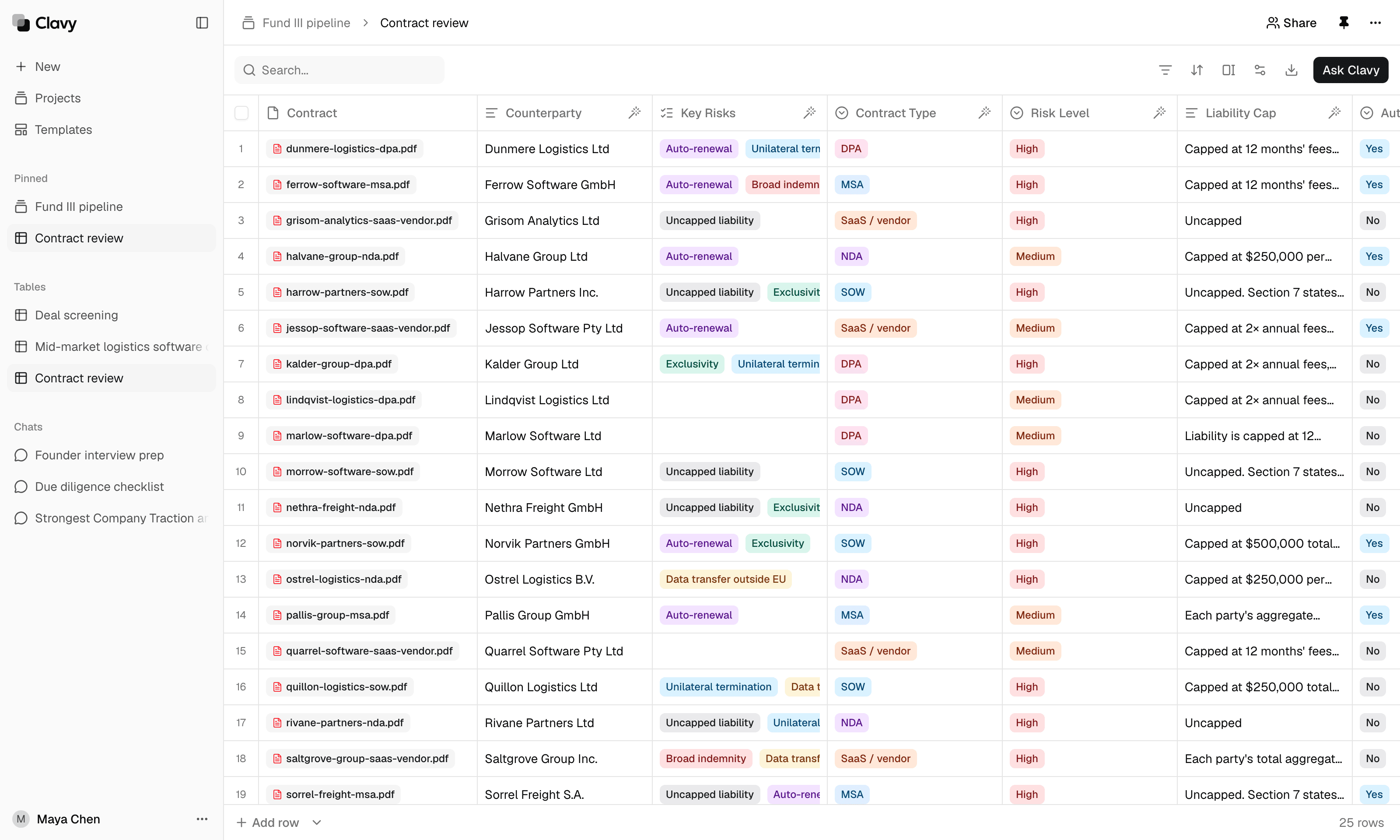
The parts of a table
The primary column is the first column. It says what each row is about, as text (like a company name) or as a file (like a contract). Most other columns read from it.
Auto-fill columns have a prompt, like "Who led the latest funding round for @Company?" Clavy runs that prompt once per row and writes the answer into the cell. Mentioning a column with @ tells the agent what to read. See Write column prompts.
Regular columns have no prompt. You type into them, or Clavy adds values when you ask it to.
Column types shape the answers. A select column picks from a fixed list of options, a number column returns numbers you can sort, and so on. See Column types.
How cells get filled
You decide when cells run. Select the wand in an auto-fill column's header to fill its empty cells, refresh outdated ones, or rerun all of them. You can also run a single cell or a few selected rows. See Run columns.
A column can build on another one. If a "Risk score" prompt mentions a "Key risks" column, Clavy fills the key risks first, then scores them, row by row.
When you change a prompt or a setting, the affected cells are marked outdated rather than rerun automatically, so nothing uses credits until you choose to run it.
Working with Clavy in a table
Select Ask Clavy to have Clavy set up columns, add rows from the web, fill the table, or answer questions about it. See Ask Clavy in a table.